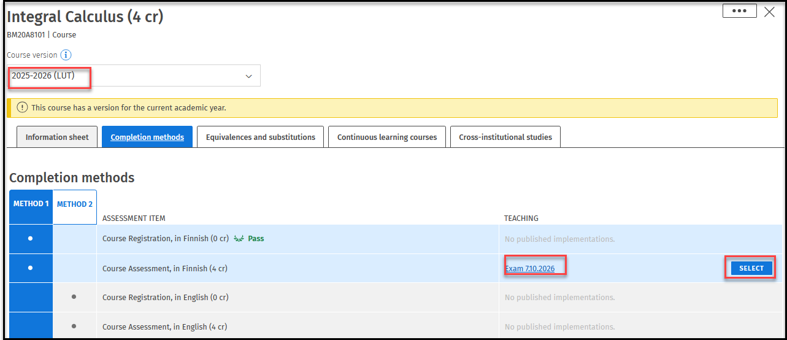
Retaking a passed examination - Sisu
Note! Students may not re-register for a course they have already completed.
Students may attempt to raise the grade for a course by retaking its possible final examination. Students have the right to retake a passed examination once on one of the three examination occasions arranged for the course. Mid-term examinations or other assignments cannot be completed more than once.
Registration for re-examinations during the academic year
Using New Structure of studies page
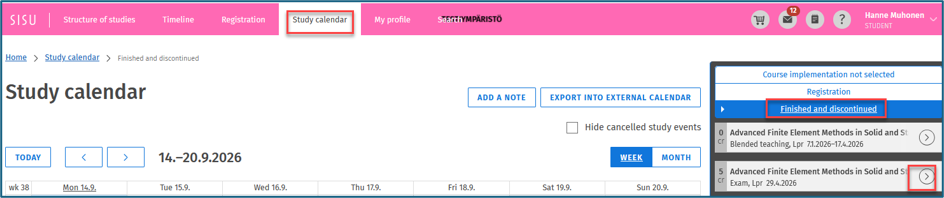
Tab Study calender,
Choose from the right side the tab Finished and discontinued tab, look for the Exam needed from there, press the arrow and in the new window tab the Info at the bottom
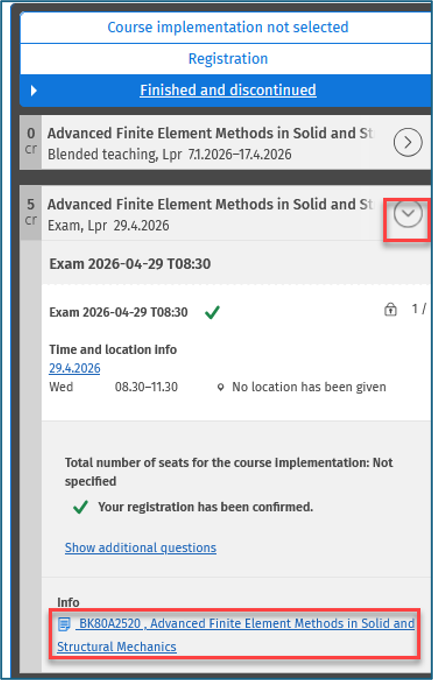
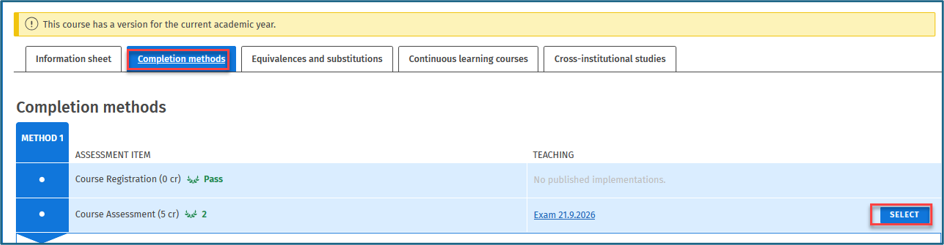
This opens the link to the competition methods from where the exam can be chosen.
Using the old Structure of studies
The increase of the approved grade takes place through the version of the same course from which the first registration was made

Tab Completion methods tab, enroll for the right exam
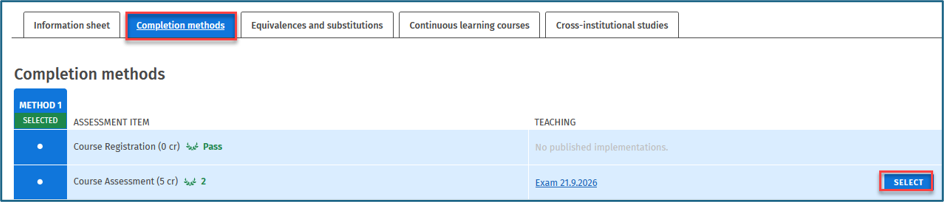
Registration for the last exams of the 3-4 periods of the previous academic year
When registering for the last exams of the 3-4 periods of spring 2026
New structure of studies
Chose Study calendar, Go to Finished and discontinued tab, Search for the right course, Open the course by the arrow
Tab the Info link at the bottom of the window
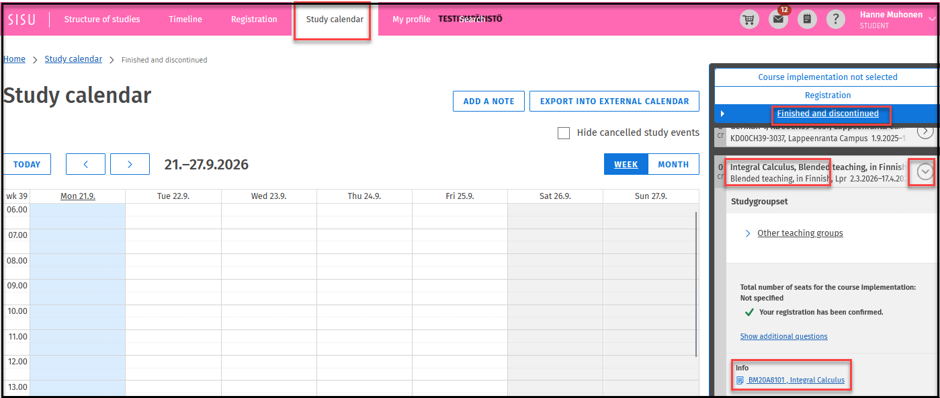
From the Completion methods tab, select the right exam and do the enrollment.