Scheduling your study plan - Sisu
First, complete your personal study plan (PSP) on the Structure of studies page. Make sure that you are viewing and editing the same primary PSP on both the Timing and Study Structure pages.

First, complete your personal study plan (PSP) on the Structure of studies page. Make sure that you are viewing and editing the same primary PSP on both the Timing and Study Structure pages.
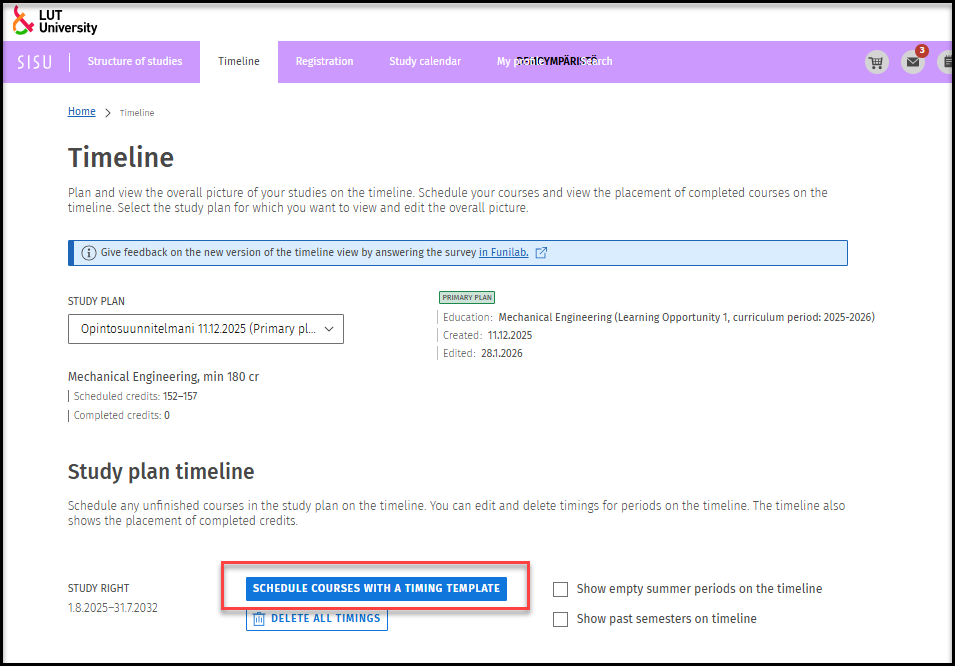
Select the Timeline and click Schedule courses with a timing template.
You can choose whether to show past semesters and empty summer periods in the schedule.
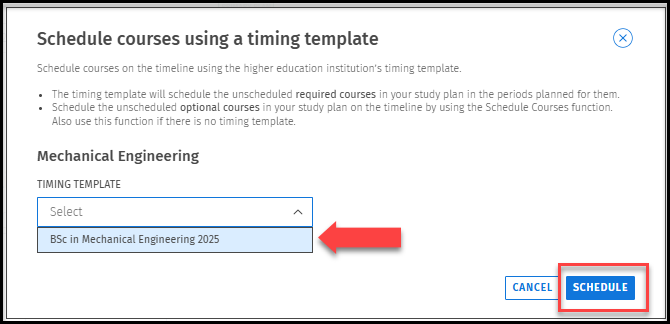
The timing template will schedule the unscheduled required courses in your study plan in the periods planned for them.
Schedule the unscheduled optional courses (alternative courses, minor studies, language studies, and elective studies) in your study plan (PSP) on the timeline by using the Schedule Courses function (if the same course continues over several periods, add it to each period). Remember to check the teaching period of any unscheduled study unit in the course description (instructions below).
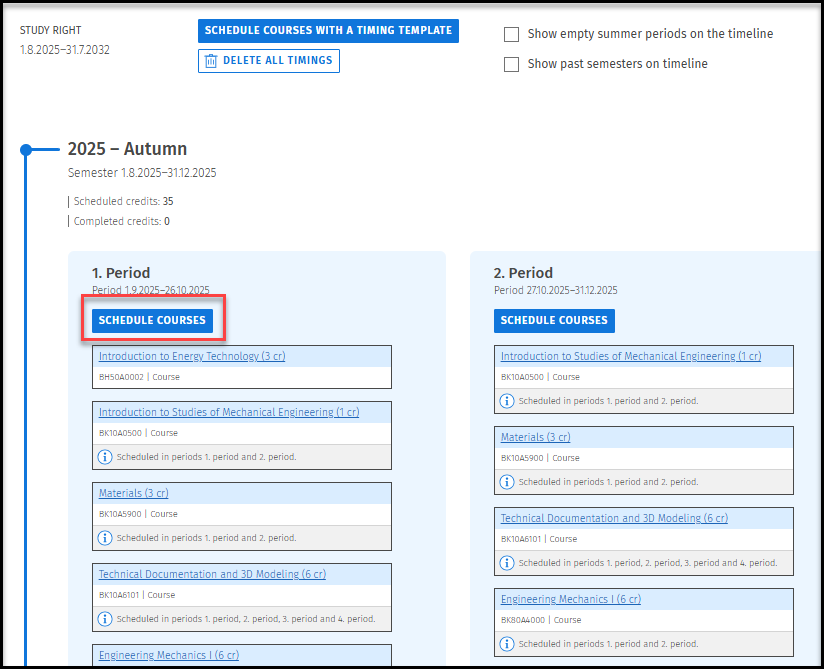
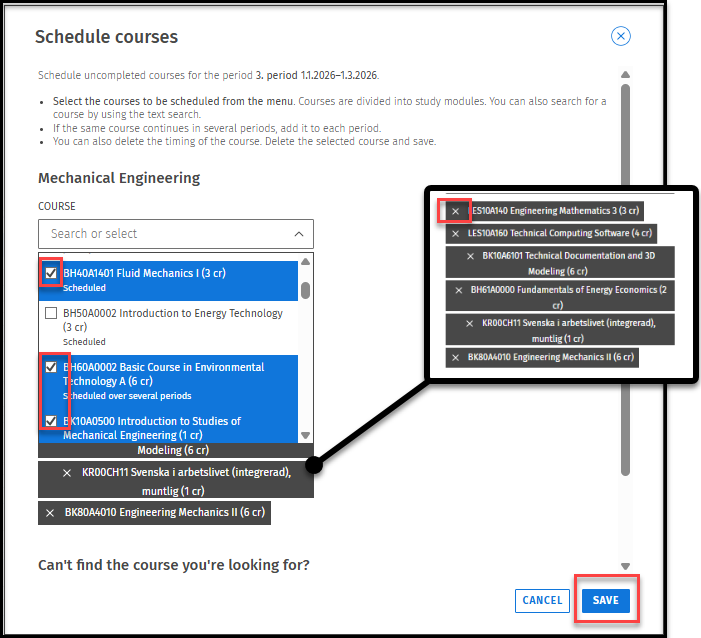
Schedule uncompleted courses: The list shows whether the course has already been scheduled/scheduled over several periods after the course.
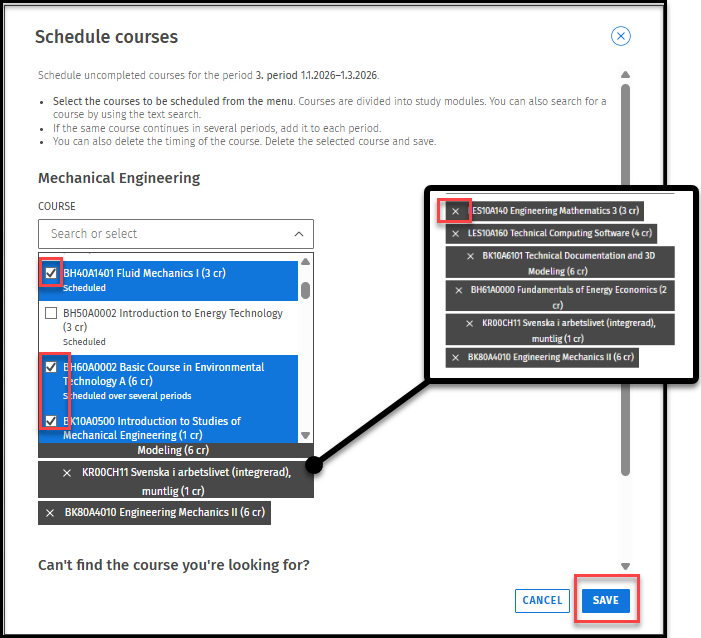
Note! After chancged the version of courseunit, it will disappear from the timeline. Therefore it need to be added to the timeline again. When selecting courses for timeline, you can see after the course’s name if it has already been scheduled. You can also check unscheduled courses on the Registration tab under Unscheduled.
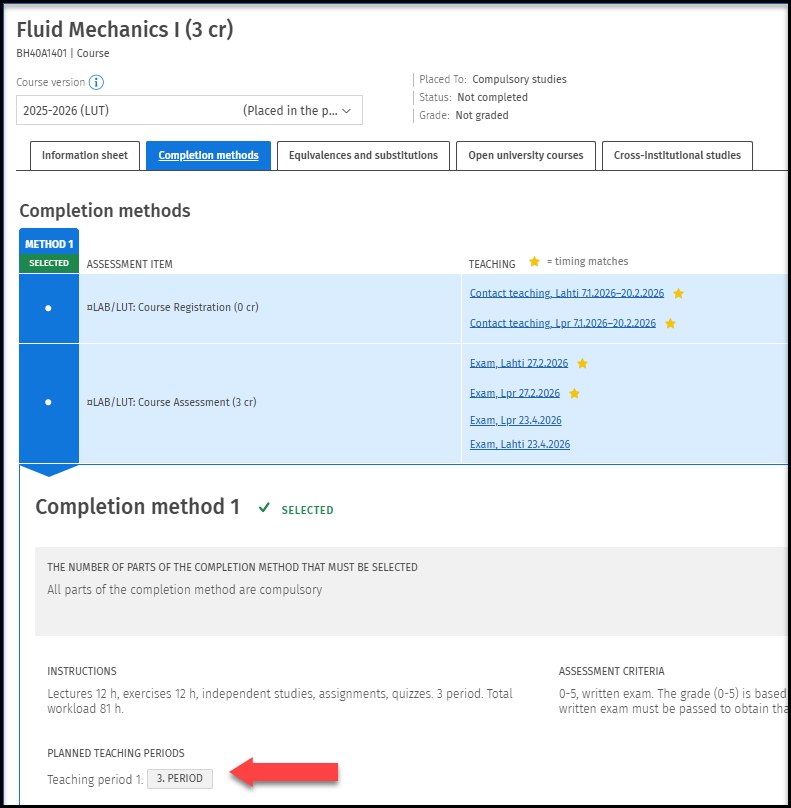
Remember to check the teaching period for unscheduled courses in the course brochure under Completion methods.
You can access the brochure, for example, from the Structure of Studies page by clicking the Select/Show Completion Method link or by clicking the course name if it has already been in timeline.